

Wired Thinking: How Computers and the Internet Power Modern Life
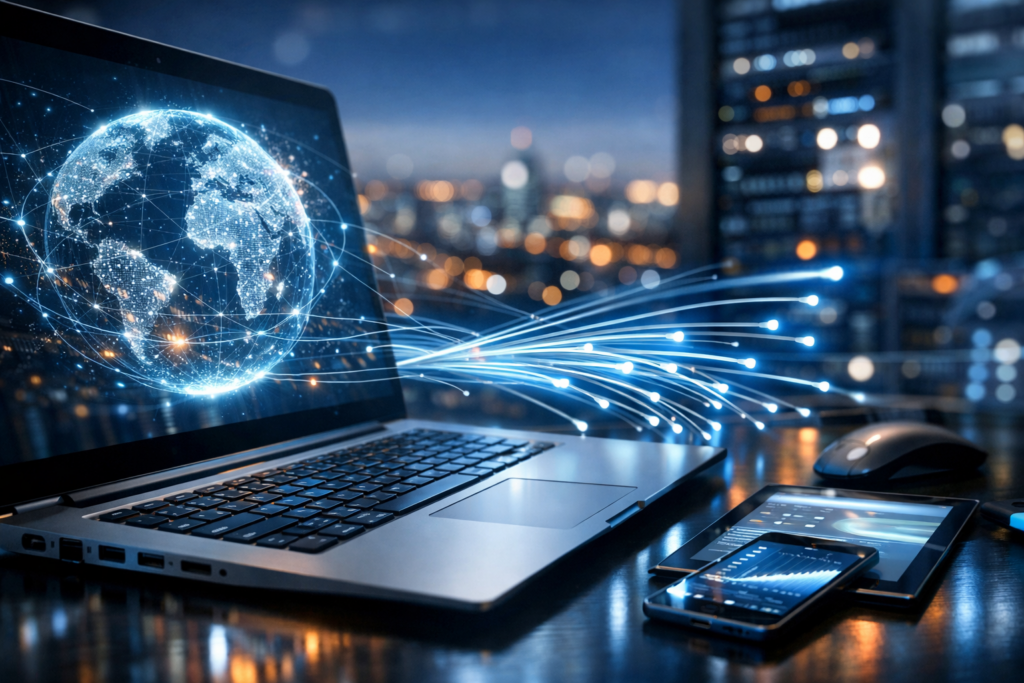
Computers and the Internet: A Partnership That Shapes Daily Life
Computers and the Internet are often discussed as a single force, but they are two distinct technologies that amplify each other. A computer is a programmable device that processes data, runs applications, and stores information. The Internet is a global network of networks that allows devices to exchange data using common rules called protocols. Together, they enable everything from sending an email to streaming a movie, managing a business, or collaborating with teammates across continents.
Because these tools are so embedded in daily routines, it’s easy to take them for granted. Yet understanding the basics—what’s happening inside a computer, how information moves across the Internet, and what security and privacy trade-offs exist—can make you a more capable user and a smarter decision-maker.
How Computers Work: The Building Blocks
At its core, a computer follows instructions. Those instructions can come from software you install, apps you run through a browser, or services delivered over the Internet. The main components that make this possible include hardware (physical parts) and software (programs and operating systems).
Key Hardware Components
- CPU (Central Processing Unit): The “brain” that performs calculations and executes instructions. Faster CPUs help with demanding tasks such as video editing, gaming, and large data analysis.
- RAM (Memory): Short-term working space. More RAM allows you to run more applications at once or handle larger files without slowing down.
- Storage (SSD/HDD): Long-term space for files and programs. SSDs are much faster than traditional hard drives, improving boot times and app loading.
- GPU (Graphics Processing Unit): Specializes in rendering images and accelerating parallel computing. Important for design, 3D work, and many AI workloads.
- Networking Hardware: Wi-Fi adapters, Ethernet ports, and modems/routers that connect a computer to local networks and the Internet.
Software: Operating Systems and Applications
The operating system (such as Windows, macOS, Linux, Android, or iOS) manages hardware resources and provides a platform for applications. Applications range from productivity tools to creative suites, games, and web browsers. Increasingly, many “apps” are web-based, running in the browser while relying on Internet-hosted services.
What the Internet Is (and How Data Moves)
The Internet is not a single entity or building; it’s a massive collection of interconnected networks operated by telecom companies, governments, universities, and businesses. When you visit a website, send a message, or join a video call, your device breaks information into small chunks called packets. These packets travel across multiple routers and networks, then reassemble at their destination.
Important Internet Concepts
- IP Addresses: Numeric identifiers that help route data to the correct device or server.
- DNS (Domain Name System): The Internet’s “phonebook” that translates human-friendly names (like example.com) into IP addresses.
- HTTP/HTTPS: Protocols used to transfer web content. HTTPS encrypts traffic, protecting data from interception and tampering.
- Bandwidth and Latency: Bandwidth affects how much data can move at once; latency is the delay before data begins to transfer. Video calls and online games are especially sensitive to latency.
Behind many online services are data centers—large facilities filled with servers that store websites, run applications, and process information. Cloud computing makes these server resources available on demand, enabling organizations to scale quickly without buying and maintaining all their own hardware.
How Computers and the Internet Transform Work and Learning
The modern workplace relies on networked computing. Email and chat platforms streamline communication, while shared documents and project boards allow teams to collaborate in real time. Remote work is possible largely because computers can securely access online systems, and because the Internet can carry voice and video efficiently.
In education, online courses, digital libraries, and interactive simulations broaden access to knowledge. Students can practice coding in browser-based environments, collaborate on group projects using cloud tools, and learn from global experts through webinars.
Benefits That Stand Out
- Speed: Instant communication and rapid access to information.
- Scale: Small teams can reach global audiences and markets.
- Flexibility: Work and learning can happen from almost anywhere.
- Automation: Routine tasks can be handled by software, freeing time for higher-value work.
Entertainment, Social Connection, and Digital Culture
Streaming media, online gaming, social networks, podcasts, and digital publishing have reshaped entertainment and culture. Computers provide the processing power for creation and playback, while the Internet enables distribution and community. A musician can publish a song globally; a gamer can join teammates across time zones; a filmmaker can release content directly to viewers without traditional gatekeepers.
At the same time, this always-on connectivity can influence attention and well-being. Algorithms curate content feeds for engagement, which can be helpful for discovery but may also create echo chambers or encourage excessive screen time.
Security and Privacy: The Essential Trade-Offs
Connectivity brings risk. Malware, phishing, identity theft, and data breaches are common threats. Privacy concerns also grow as online services collect data to personalize experiences, improve products, or target advertising. Understanding basic protections is now a core digital skill.
Practical Safety Habits
- Use strong, unique passwords and a reputable password manager.
- Enable multi-factor authentication (MFA) on important accounts like email and banking.
- Keep software updated to patch security vulnerabilities.
- Be cautious with links and attachments—phishing often imitates trusted sources.
- Prefer HTTPS and avoid sensitive activity on public Wi-Fi without additional protection.
- Review app permissions and limit unnecessary data sharing.
Security is not just a technical issue; it’s a human one. Many attacks succeed by manipulating trust. Building a habit of verification—double-checking senders, URLs, and requests for sensitive information—prevents a large share of common incidents.
The Road Ahead: AI, Faster Networks, and Smarter Devices
Computing and networking continue to evolve. Artificial intelligence is becoming a standard feature in productivity tools, search engines, and creative applications. Faster mobile networks and fiber connections reduce latency and improve reliability, supporting richer real-time experiences. Meanwhile, the Internet of Things is connecting everyday objects—thermostats, watches, cars—creating convenience while expanding the surface area for privacy and security concerns.
The relationship between computers and the Internet will likely become even more seamless: more tasks will run in the cloud, more devices will be connected by default, and more decisions will be assisted by algorithms. For users, the best approach is balanced: take advantage of the efficiency and access these tools provide, while staying mindful of security, privacy, and the quality of information consumed.
Conclusion
Computers provide the ability to compute, create, and store; the Internet provides the ability to connect, share, and access services worldwide. Together, they form the infrastructure of modern life. By understanding the fundamentals and practicing smart digital habits, individuals can harness their power for productivity, learning, creativity, and communication—without surrendering safety or control.